Daily Shaarli
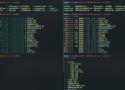
Rust tooling is taking over the terminal. Use these awesome tools to supercharge your Linux/macOS/Windows terminal. Tagged with rust, terminal, linux, macos.
bat is one of my favorite tools from this list. It's a replacement for cat, and once you have used bat, you will never go back.
$ Cargo
cargo install bat --locked
exa
Both LSD and exa are replacements for the ls command. They both look gorgeous with nice colors and icons and have features like headers, sorting, tree views, and so on. Exa is a bit faster than LSD for tree views and can show the Git status of files and folders. I prefer exa due to the Git support and faster tree views. I have set up my ls alias to use exa by default. Both can be configured to show custom columns and sorting behaviors.
rip
rip is an improved version of the rm command. It is faster, safer, and user-friendly. rip sends deleted files to a temp location so they can be recovered using rip -u.
dust
Dust is an alternative for the du command. It is fast and has a better UX with nice visualization for disk usage.
fd
fd is a simpler alternative to find. It is more intuitive to use and comes with sensible defaults. It is extremely fast due to parallel traversing and shows a modern colorized output and supports patterns and regex, parallel commands, smart case, understands .gitignore files, and so on. I have aliased find to fd as I could never remember what options to pass to get a basic find command working.
bottom
bottom is a top replacement with a nice terminal UI. It's quite feature-rich and customizable.
fselect, find files with SQL-like queries
github.com/jhspetersson/fselect
sudo ln -sfnv /usr/bin/batcat /usr/bin/bat;I decided to encode the entire application state as a Base64 encoded string in the hashmark of the url. For example, a url would look like (note its truncated since they are very long):
Here's the pseudo code for creating the url, and then later reading it:
const stateString = JSON.stringify(appState); // appState is a json object
const compressed = compress(stateString);
const encoded = Base64.encode(compressed);
// Push that `encoded` string to the url
// ... Later, on page load or on undo/redo we read the url and
// do the following
const decoded = Base64.decode(encoded); // same encoded as above, but read from url
const uncompressed = uncompress(decoded);
const newState = JSON.parse(uncompressed);
// Now load your application with the newState
A better idea is to use the URI fragment (the string after the # sign). It has the advantage of not having a size limit, and not needing to be sent all to the backend during the request. window.location.hash is your friend.

JSON Web Tokens are changing the world for the better. Acting as the shield of stateless and distributed architectures, JWTs are pretty amazing. But with great responsibility comes great confusion…

The hsl() and hsla() functions also have 0% usage in the data, and they have just as good of support as the hex codes. Why? HSL can do anything HEX can do, except it’s far more readable and easier to adjust. It’s just better, really.

Walk around. Pay attention. Take pictures.
Bill says there’s two ways to pay attention while you’re walking:
- “Ambient noticing” — you’re just soaking in everything, taking in the big picture, and letting things come at you
- “Purposeful attention” — you have a goal of seeking out specific things, such as colors, signs, sad chairs, etc.
Bill’s talk also made me think about the different ways we can pull meaning out of our collections of images, including at least:
- Juxtaposition, by assembling a gallery of images in multiple next to each other
- Addition, by way of annotation — adding text below or drawing directly on the image
- Subtraction, cutting up the images, or removing elements (see: my de-signs, which Bill kindly mentions