Creative list styling

A look at some useful and creative ways to style a list.
Custom markers with ::before #
Styling the ::before pseudo-element was a common way to create custom list markers before ::marker came along. But even now, it can allow us more flexibility, when we need it, for visually complex list styling.
Like ::marker, we can add our own custom bullet styles using the content attribute. Unlike using ::marker, we need to do some manual positioning, as we don't get the automatic benefits offered by list-style-position. But we can position it relatively easily with flexbox, and it does open up a greater number of possibilities for alignment. For instance, we could alternate the position of the marker:
Get started with Motionity
Create animated videos in your browser like never before 🎥
Motionity is a free & open source motion graphics editor for the web 🙌 Browse assets, add keyframes with easing, mask layers, apply filters, text animations, Lotties, audio, and much more.
Sonuum is an upcoming feature-packed audio editor for the web 👀 Contextual feedback, shared team libraries, sleek design, collaborative features, and much more.
How to Generate Images with Stable Diffusion in Seconds, for Pennies
The authors of Stable Diffusion, a latent text-to-image diffusion model, have released the weights of the model and it runs quite easily and cheaply on standard GPUs. This article shows you how you can generate images for pennies (it costs about 65c to generate 30–50 images).
Private Members in JavaScript
Some believe that it lacks the property of information hiding because objects cannot have private instance variables and methods. But this is a misunderstanding. JavaScript objects can have private members. Here's how.
The Wrong Way to Invest in Emerging Markets @themotleyfool

Yet it's also the most popular.
When it comes to international investing, the most popular vehicle out there is the iShares MSCI Emerging Markets Index (NYSE: EEM), with an astounding $41.7 billion worth of assets. Yet aside from the facts that the iShares MSCI Emerging Markets Index has been around since 2003 and that iShares is pretty good at marketing, there are two very good reasons why this ETF should not be the most popular for investors to gain emerging markets exposure.
If you own EEM or are thinking about owning EEM, then this should prompt you to ask: Are the fastest-growing parts of the world's emerging markets over the next few years going to be export manufacturing, outsourcing, banking, and globally priced commodities? And will the fastest-growing emerging markets companies be mega caps? While there's something to be said for the retail banking sector in underbanked markets such as India and Brazil, the rest of it is nonsense. Those sectors are historically where emerging markets have been; not where they're going.
Why Use a Paintbrush When You Can Make Mind-Bending Art With Code? | WIRED

Many of Casey Reas' programmatic artworks resemble things you see in nature—tangles of leaves, daffodils, bee colonies, algae—but they’re anything but.
To help further this exploration, Reas and his colleague Ben Fry (a principal of Fathom, a design and software consultancy in Boston) in 2001 developed their own software, called Processing, that bridges the divide between programming and art, making both processes more intuitive.
Split Squat With Overhead Press | POPSUGAR Fitness
I am not a fan of jumping lunges — at all.
- Holding the weights at your shoulders with your palms facing out, step backward about three feet with your left foot. Press the weights up to the ceiling.
- Lower the weight to your shoulders as you bend your knees, making 90-degree angles with both legs.
- Straighten both legs as you press the weights back toward the ceiling. This completes one rep. Do 10, then switch legs.
Open Peeps, Hand-Drawn Illustration Library

Open Peeps is a hand-drawn illustration library to create scenes of people. You can use them in product illustration, marketing, comics, product states, user flows, personas, storyboarding, quinceañera invitations, or whatever you want! ⠀
Color Lisa - Color palette masterpieces of the world’s greatest artists.

Color Lisa is a curated list of inspiring color palettes based famous work of the world's greatest artists. Each palette was painstakingly created by color obsessed designers, artists, museum curators, and masters of color theory.
Heroicons

Beautiful hand-crafted SVG icons, by the makers of Tailwind CSS.
Is G604 double click problem fixed in 2022? : LogitechG
I'm thinking of buying this mouse, I'm just wondering if the problem is solved on newer ones? Is there a way to know which one have faulty switches?
I got one is Oct 2019 and it developed double click problem right after 2 year warranty expired. I had to replace the primary micro switch with a Omron Japan d2f-01f switch (logi use omron china with fail soon and there is a whole story of planned obsolescence).
It is working much better with the new switch. Also the rubber on the right side now has cracks and small pieces are falling off.
Additionally, the latest GHUB software is shit and make scroll down not work if you copy a profile to onboard memory. Stupid.
Sorry for the TMI. Mouse is great till it's switch or its software causes problems.
ILPT: Free eBooks : IllegalLifeProTips
1) Go to libgen.is
1) Select your genre/type (options are Sci-Tech, Scientific articles, Fiction, Comics, Standards, and Magazines)
1) Search for the book you want
1) Try to choose a file that is in .epub format (looks best on iPhone, but .pdf works too) and make sure it is in your desired language.
1) Click one of the numbers under “Mirrors” (doesn’t matter which)
Once the page redirects you, click GET. The book should then be in your Books app that comes on all iPhones.
- Gen.lib.rus.ec also works as well! It’s the mirror version I use when any others are down
DIY Cleaners : Window + Mirror Cleaning Spray - Clean Mama

WINDOW + MIRROR CLEANING SPRAY
Looking for clean and streak-free windows and mirrors? This quick drying spray will do the trick!
1 1/2 cups water
1 1/2 tablespoons white vinegar
1 1/2 tablespoons rubbing alcohol
3 drops peppermint essential oil
Mix in spray bottle, spray liberally on surface if it’s glass and on the cloth if it’s a mirror, and wipe clean with a window + mirror cleaning cloth.
Tire life | Honda Odyssey Forum

My friend owns a tire shop and gave me a critical tip a few years ago. Odyssey's are heavy and would benefit from using like a Michelin Defender LTX M+S type tire (suv/highway truck), but more importantly you need to understand UTQG in regards treadwear. Many tires have a UTQG of 400-600. The lower the number the lower the service life. Today's more durable tires carry UTQG treadwears of 700-800+.
The stock tires that came on our Odyssey was a 480 UTQG. They lasted 32k miles. The set I'm on right now is the Michelin Defender which is a 800 UTQG. I now have 63,000 miles on those tires and they are at 6/32nds. I'm hoping to hit 70k on these tires and I will use the same exact tire. They aren't the cheapest. I paid $918 after tax for them installed and road forced balanced.
I cross-shopped the Continental TrueContact Tour and the Michelin Defender LTX. Had a great experience with the Defender LTX on a prior Toyota Sienna minivan, but read promising reviews of the LX25s. One nice thing about the Continental LX25s is that the 235/55/19 variant comes with a rim protector. Certain drivers to be unnamed have caused havoc on the rims of the minivan -- hoping the new tires offer some added protection.
FontDrop!
Also https://wakamaifondue.com/
Is there a site or tool that can tell me the metrics for a font, e.g. the cap and x heights?
Simple and easy way to view the content of font files.
Mark Simonson
OpenType (and TrueType) fonts are made up of tables which hold various kind of font data, such as metrics, naming, hints, layout features, kerning, and character outlines.
The cap height and x-height are stored in the “OS/2” table under the entries “sxHeight” and “sCapHeight”. (Some fonts, especially older ones, may not have these two entries. They are not required.)
The values are relative to the UPM (units per em) of the font. Most fonts have a UPM of 1000 (OTF) or 2048 (TTF), but other values are possible. The size of the units in a font are relative to the size at which the font is displayed. The em is scaled to the font size. The UPM can be found in the “head” table in the entry “unitsPerEm”.
For example, a typical cap height value for a font with 1000 UPM is 700 units, or 70%. So if the font is displayed at 36-point, the cap height is 70% of 36, or 25.2 points.
There isn’t a tool or site I know of that shows just metrics, but there is a site that can show most of the data in a font, including metrics: FontDrop! The metrics are shown in the “Data” tab.
https://jkorpela.fi/x-height.html
I Spent 7 Months Gathering The Very Best Free Courses I Could Find On The Internet | by Jano le Roux | The Startup | Aug, 2022 | Medium

I Spent 7 Months Gathering The Very Best Free Courses I Could Find On The Internet. Including life-changing Harvard, MIT, and Stanford courses..
Harvard’s CS50 Computer Science Course
https://www.harvardonline.harvard.edu/course/cs50-introduction-computer-science
MIT’s Machine Learning Course
https://www.edx.org/course/machine-learning-with-python-from-linear-models-to
Apple’s Develop For iOS Course
https://developer.apple.com/tutorials/app-dev-training/
AWS’s Cloud Practitioner Course
https://www.edx.org/course/aws-cloud-practitioner-essentials
University of Michigan’s Successful Negotiation Course
https://www.coursera.org/learn/negotiation-skills
RIT’s Storytelling in the Workplace Course
https://www.edx.org/course/storytelling-in-the-workplace-3
Bocconi’s Private Equity and Venture Capital Course
https://www.coursera.org/learn/private-equity
Stanford’s Quantum Mechanics Course
https://www.edx.org/course/quantum-mechanics-for-scientists-and-engineers-1
How Use ESLint to Write Elegant Code in JavaScript and TypeScript
Creating Custom Icon Webfonts. Webfont icons — what typographers would… | by Jason Knight | CodeX | Aug, 2022 | Medium
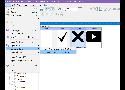
Webfont icons — what typographers would traditionally refer to as dingbats — are an important part of modern web development. There are so many advantages to them:
Comment:
I've used https://icomoon.io for years, because of its great selection of free icon fonts and also because it's quite easy to import self designed svgs and turn them into glyphs. It's easy to use and all relevant functionalities are free of charge.
https://web.dev/optimize-webfont-loading/#customize-the-text-rendering-delay