Do These Things After 6 P.M. And Your Life Will Never Be The Same

Reflect on what you learn by writing
Apart from becoming a better writer, blogging can help you organise your thoughts.
Blogging encourages deep thinking.
When you begin to share what you know with others, your ability to communicate gets better.
Blogging helps your brain to stay active.
You will also be able to link ideas and pieces of information better.
Writing Tips: How to Describe Setting using Touch – The Writing Cooperative
Show, don’t tell. That’s what every beginning writer is told. But how is this achieved? And what does it look like when it comes to setting?
In terms of show, don’t tell, there are two broad strategies to think about. When used together they are brilliant tools to really paint a picture in your reader’s mind. The first is to use figurative language (but more on this in another post). The second is to use sensory language — to draw upon the five senses to describe the setting.
Let’s take a look at one of the more underutilised senses: touch.
Hopefully, the Ultimate Guide to a Flat Icon Set
For nerds who have read my article on visual weight and optical alignment. Minimum words, maximum GIFs.
10 Tips for Using a Bullet Journal to Boost Creativity | Webdesigner Depot
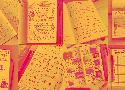
You’ve seen some of the beautiful bullet journals on Pinterest, and there’s more to this trend than an exercise in creativity. Using a bullet journal can make you a master of the website universe. And it all starts with a pen and paper.

How to Write Technical How-Tos – Rachel Sobel – Medium
In understanding how to write technical instructions, it’s best to understand how people read them. Most readers will want to know: (1) what you’re doing, and whether it’s relevant to what they are trying to do; and (2) how you did it.
This suggests a simple strategy: first, write about what you’re doing and why, and then, explain how to do it. If you leave out the why, or make it hard to find, your reader will have to closely examine your explanation to understand whether your technique is relevant to them at all. If you leave out the how or make it hard to find, your reader will struggle to replicate your efforts.
PreflopAdvisor
10 cheat codes for designing User Interfaces – Design + Sketch – Medium
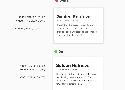
- Font hierarchy is just not about small to big font sizes. It is about the right mix of size, weights, and colors that creates contrast. Bigger contrast, the better
- Do the math for understanding colors
- Multiply instead of Drop shadow text
YOW! West 2017 Andy Clarke - Designing inspired style guides

Lots of style guide examples and inspiration
Interesting situation from a bounty tournament
Little and Alex Weldon are wrong calculating how much the bounty is worth based on the starting stack.
Here’s a list of fun apps to build!

Here are 8 fantastic projects to train your coding muscles! The goal is to build each app with whatever technology stack you prefer. Keep it conflict free, use whatever you want!
Carbon - Code image generator
Create and share beautiful images of your source code.
Start typing or drop a file into the text area to get started.
Using Gradients In User Experience Design
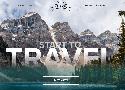
Today you’ll learn how to use gradients for a website in Adobe XD through a very useful tutorial.
Always decide on a light source. This will help you decide which are the lighter and darker areas in the gradient.
The Complete Guide to Editing Your First Draft Like a Pro
“…your first draft is only for you. No one is ever going to see it, so you don’t have to worry about it. You’re not going to turn it in. You’re not going to show it to friends to evaluate — because it’s only for you.”
“Nobody creates flawless first drafts. And nobody creates better second drafts without the intervention of someone else. Nobody.”
The 8 best questions to put on your next one-on-one meeting agenda
#1: How’s life?
#2: What are you worried about right now?
#3: What rumors are you hearing that you think I should know about?
#4: If you could be proud of one accomplishment between now and next year, what would it be?
#5: What are your biggest time wasters?
#6: Would you like more or less direction from me?
#7: Would you like more or less feedback on your work? If so, what additional feedback would you like?
#8: Are there any decisions you’re hung up on?

How I construct a pen on CodePen by Sten Hougaard on CodePen
One my prefered playgrounds is SVG. It is Scalable Vector Graphics, which in practice means that you can draw something in the browser using some tags, some stying and some code. How cool is that? Compared with a piece of paper and a pen you can go crazy and the result is generated instantly as you change the elements of your playground in your pen on CodePen.
How to Become More Likeable
Whereas the main ideas in the book revolve around the fact that people will like you if you offer them attention (“Become genuinely interested in other people”, or “Make the other person feel important — and do it sincerely” are good examples of this approach), there are other instances where the author’s advice doesn’t feel as authentic. For example, the tip “Let the other person feel like the idea is his or hers”
Learn map, filter and reduce in Javascript – João Miguel Cunha – Medium

This article is pointed towards beginners in Javascript or people who are just starting working with functional Javascript and never heard of map, filter and reduce. If you already have a lot of practice with these, you can just jump to the end of the article where I point you towards some other interesting pieces.
How To Write In Your Journal To Improve Yourself and Achieve Your Goals
Of all the things that have been helpful to me in personal growth and goal achievement, using my journal daily is at the foundation.
Writing in my journal every single day is the glue that holds everything else together.